Product Flyer

To locate product flyers:

  • Log on to The Hub
  • Click on “My Business”
  • Select “Share USANA Media Center” from the “Prospecting” heading
  • Select “Library” from the left
  • Select “Master Library” at the top of the screen
  • Select “Flyers” under “Type”
  • Under “Topic” and select “Products”

Online Health and Freedom Newspaper

The Health & Freedom Newspaper is available online:

  • Log on to The Hub
  • Click on “My Business”
  • Select “Share USANA Media Center” under the “Prospecting” heading
  • Select “Library”
  • Enter “newspaper” in the search

The newspaper has not been updated since 2017 as USANA moves toward newer, digital tools. We recommend using the Get to Know USANA Booklet to prospect and grow your business.

Emailing Prospecting Videos

To share the prospecting videos, please use the following:

  • Log on to The Hub
  • Click on “My Business”
  • Select “Share USANA Media Center” from the “Prospecting” heading
  • Click on “Library”
  • Select Media Type “Video”
  • Locate the video you would like to send
  • Click on the envelope icon
  • Fill out the eCard information
  • Click “Send eCard”

Download a Video from the Media Center

All videos in the Media Center are available to download.

  • Log onto The Hub
  • Click on “My Business”
  • Select “Share USANA Media Center” from the “Prospecting” heading
  • Click on “Library”
  • Click on “Videos” under “Media Type”
  • Locate the video you wish to download
  • Click on the video
  • On the top-right of the video, there will be a line of icons; click the “Download File” icon

Stock

You do not have to be a USANA Brand Partner to purchase USANA stock. Anyone can do this.

To purchase USANA shares, you must work with a brokerage firm such as Sharebuilder, Scottrade, Fidelity, Etrade, etc.

When shares are purchased, your shares will be held in your brokerage account, and you will not receive a stock certificate unless you specifically request one.

A transfer agent is a record keeper for a company like USANA to track all their shareholders and how many shares they own. USANA’s transfer agent is Broadridge Financial Solutions, Inc. They can be contacted through their website at https://www.broadridge-ir.com/resources/transfer-agent/default.aspx or by calling shareholder services at (877) 830-4932.

To recover a lost or stolen stock certificate, contact Broadridge Financial Solutions, Inc.

USANA’s stock split history was August 4, 1998 (2 for 1), October 31, 2003 (2 for 1), and November 23, 2016 (2 for 1).

USANA currently does not, and never has, paid dividends. This does not mean a dividend will not be considered in the future by the board of directors.

Current USANA stock prices can be accessed on the Investors Relations section of www.usana.com.

Ask the Scientists

Science Information Services, a division of Research and Development (R&D), interprets current nutritional science research to provide accurate science-based information to support, educate, and inform Brand Partners and customers. They work directly with R&D in developing new products and product reformulations. In addition, they coordinate with product managers to defend health claims, provide customer feedback, and support product marketing strategies.

To locate the Ask the Scientists:

  • Log on to The Hub
  • Scroll to the bottom of the page
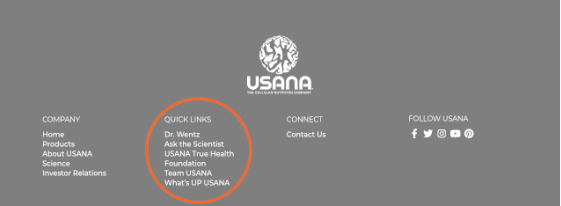
  • Locate and select “Ask the Scientists” under the Quick Links heading

USANA’s Expanding Global Presence

USANA’s continued expanding global presence gives Associates an opportunity in 25 exciting markets:

1 – United States (After July 20, 1992)
2 – Canada (About February 1996)
Caribbean (About 1st quarter of 1997, as an NFR extension of the US)
3 – Australia (About February 1998)
4 – New Zealand (About March 1998)
5 – United Kingdom (About November 1998)
6 – Netherlands (About June 1999)
7 – Hong Kong (About November 1999)
8 – Japan (About October 2000)
9 – Taiwan (About October 15, 2002)
10 – Korea (About 3rd or 4th quarter 2003)
11 – Singapore (About November 18, 2003)
12 – Mexico (On or about February 9, 2004)
13 – Malaysia (January 8, 2007)
14 – Philippines (January 18, 2009)
15 – China (August 18, 2010, through BabyCare, Ltd.)
16 – Thailand (On or about January 23, 2012)
17 – France (March 26, 2012)
18 – Belgium (March 26, 2012)
19 – Colombia (July 15, 2013)
20 – Indonesia (November 16, 2015)
21 – Germany (June 20, 2018)
22 – Italy (June 20, 2018)
23 – Romania (June 20, 2018)
24 – Spain (June 20, 2018)
25 – India (December 15, 2023)

In addition, USANA opened EU Preferred Customer markets in Austria, Luxembourg, and Ireland on April 13, 2012.

Markets and Shipping Information

USANA Markets

USANA is open in the United States (including Puerto Rico), Canada, Australia, New Zealand, the Netherlands, the United Kingdom, Japan, Hong Kong, Taiwan, Korea, Mexico, Singapore, Malaysia, the Philippines, China (through BabyCare, Ltd.), the Caribbean/Pacific Islands*, Thailand, France, Belgium, Germany, Italy, Romania, Spain, Colombia, Indonesia, and India. In addition, USANA opened EU Preferred Customer markets in Ireland, Austria, and Luxembourg.

*The Caribbean/Pacific Islands operate under US policies and products; however, associates and preferred customers in this region may purchase products for personal consumption only. This market consists of the U.S. Virgin Islands, British Virgin Islands, Barbados, Trinidad & Tobago, Bahamas, Cayman Islands, Dominican Republic, Bermuda, Jamaica, the Federated States of Micronesia (also known as Carolina Island), Marshall Islands, North Mariana Islands**, Palau***, Guam, America Samoa, and the Netherlands Antilles.

**USANA is not open for business in the following islands of the North Mariana Islands: Farallon de Pajaros, Moug Island, Asuncion Island, Agrihan, Pagan, Guguan, Sarigan, Anatahan, and Farallom de Medinilla.

***USANA is not open for business in the following islands of Palau: Hatobohei Island, Helen Island, Melieli (Merir) Island, Pulo Anna Island, Sonsorol Island, and Tobi Island.

Shipping Info

USANA or its Associates cannot conduct business or ship products in or to any country in which USANA is not open for business.

All markets have their own labeled products and warehouses. Each market has certain regulations, and the products shipped from their warehouses are labeled following  specific regulations.

In general, USANA Associates may only purchase products that are available for resale in their home country. However, USANA does allow most Associates to make limited purchases for personal use from a market other than their country of residence. See Not For Resale Product Purchases for more information.

If you would like to submit any comments or suggestions on new market expansions:


Shipping to the Caribbean Market
Split Order Bonus

The Split Order Bonus is automatically generated when the sales in a Brand Partner’s initial order is 400 Sales Points or more. An initial order of 400 sales points or more automatically activates three Business Centers (BCs), and splits points across all three centers. The points split with 200 points going to BC1 Personal and the remaining points getting split between BC2 and BC3 Personal.

Example: Initial order generates 500 Personal Sales Points. 200 points go into BC1P, and 150 points go in both BC2 and BC3. (BC2P and BC3P)

Only the initial order can qualify for the Split Order Bonus. It is not offered at any other time. In order to place points in two different places, two different orders need to be placed.

The Split Order Bonus gives new Brand Partners a strong business foundation from day one. Placing sales points across all three Business Centers goes beyond activating their USANA business—it opens the door to faster commissions and long-term earning.


*The initial order should include the Welcome Kit and desired products together for the best shipping rate. However, the Split Order Bonus will still occur when the Welcome Kit is purchased and is immediately followed by an order containing 400 or more sales points.

Verification of Change Requests Being Completed

For verification that changes have been received and your account has been updated with the new information, you may contact customer service or order express.

